

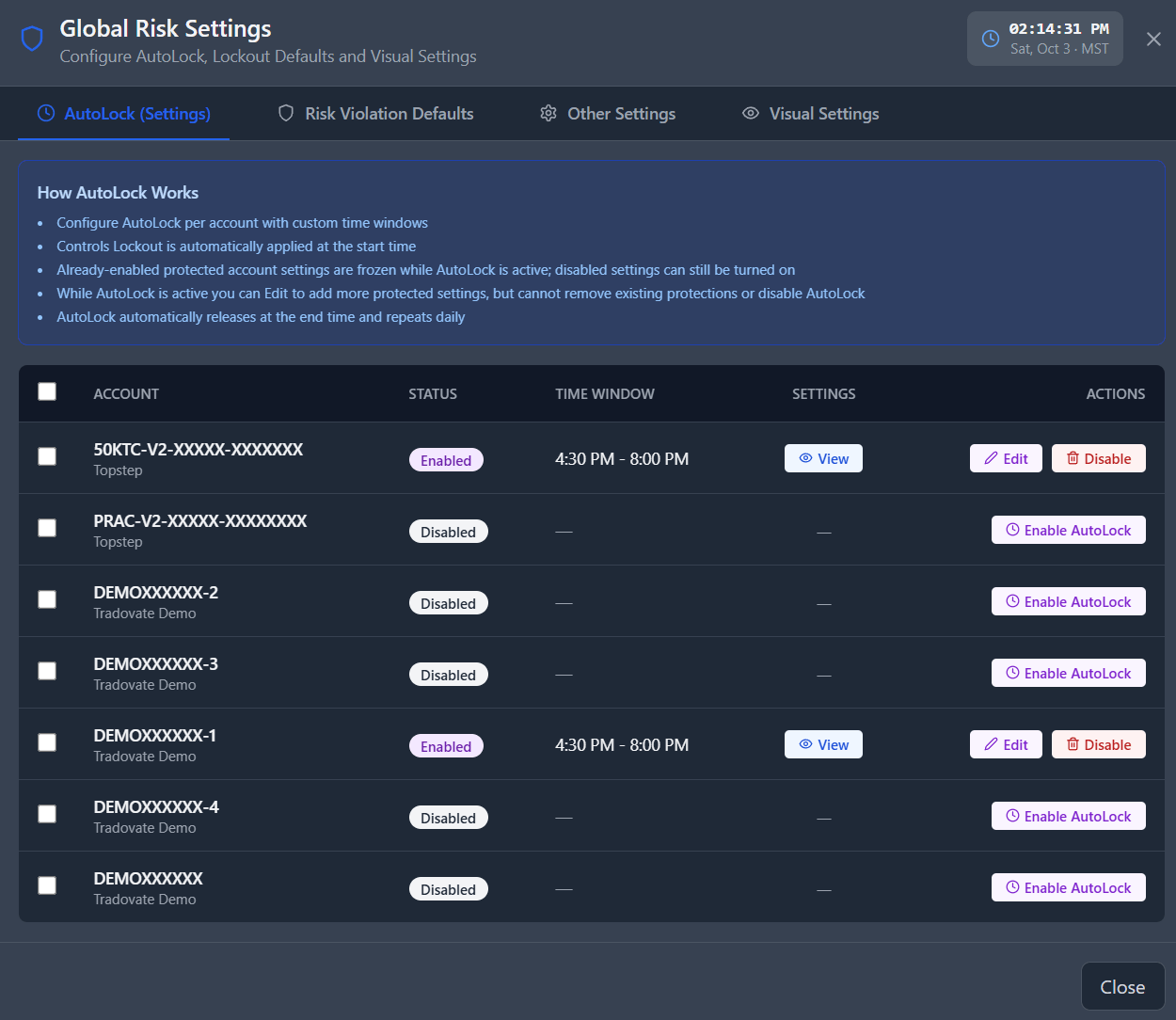
What AutoLock Does
AutoLock is specifically designed to protect your settings — not to interfere with your trading. During an active AutoLock window:- ✅ Trading continues normally — orders are placed, filled, and managed as usual.
- ✅ Risk management rules remain active and enforced.
- ❌ Enabled risk settings cannot be disabled.
- ❌ Protected parameters cannot be modified until the window ends.
AutoLock ends automatically at the configured end time each day and re-engages the following day at the configured start time. There is no manual override during an active window — this is intentional. If you need to make a legitimate settings change, wait until the window ends or adjust your schedule before the window opens.
Configuring AutoLock
1
Navigate to Global Risk Settings in the Risk & Account Management page
In your Global Risk Settings pop-up, select the AutoLock tab.
2
Click 'Enable AutoLock'
Toggle AutoLock on for the account you want to protect. The schedule and mode settings will become available once the toggle is enabled.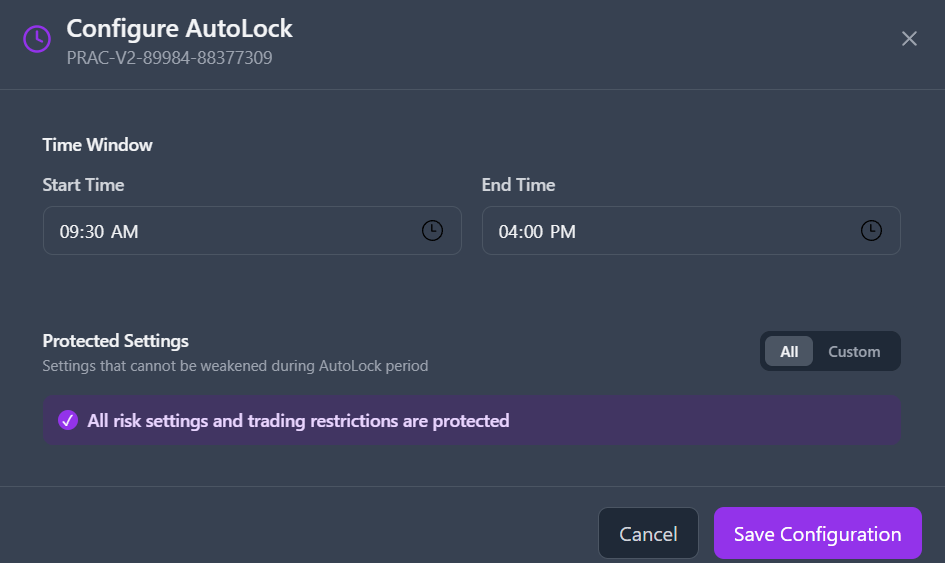
3
Set your time window
Select a Start Time and End Time for the daily protection window. For example,
09:00 am – 5:00 pm America/Chicago covers the core CME trading session. AutoLock will engage every day at the start time and lift automatically at the end time.4
Choose a protection mode
Select either Protect All or Custom mode depending on how broadly you want to lock your settings. See Protection Modes below for details on each option.
Protection Modes
- Protect All
- Custom
Protect All freezes every risk setting on the account during the AutoLock window. No risk parameters — limits, restrictions, or drawdown settings — can be modified until the window ends.This is the simplest and most comprehensive option. Use it when you want zero flexibility to make changes during the session, or when you’re participating in a funded evaluation program that requires strict rule adherence.
Protected Settings
When using Custom mode, you can individually select any of the following parameters for protection.Risk Limits
- Daily Loss Limit — Maximum daily loss threshold.
- Daily Profit Limit — Maximum daily profit cap.
- Per-Trade Loss Limit — Maximum loss per individual trade.
- Per-Trade Profit Limit — Maximum profit per individual trade.
- Daily Funded Target — Prop/funded account daily profit target.
- Trailing Daily Loss Limit — Trailing intraday drawdown floor.
Trading Restrictions
- Max Contract Size — Maximum contracts per order.
- E-Mini Blocking — Block for standard E-Mini instruments.
- Daily Trade Limit — Maximum round-trip trades per session.
- Consecutive Loss Limit — Maximum consecutive losing trades.
- Time Restriction — Permitted order submission window.
- Allowed Trading Days — Permitted days of the week for trading.