
Tradespace provides four distinct types of lockouts, each designed to protect your account in a different scenario. Some trigger automatically when a risk rule fires; others you activate manually. Understanding when each type engages — and what it does — helps you use them intentionally as part of your trading discipline.

Types of Lockouts

Extending of lockout time

After enabling a lockout, you can add additional time to an existing lockout and extend that time. The adjusted time will be displayed before you confirm.

Lockout stacking

You are able to stack different kinds of lockouts with varying end times. For example, you can enable a controls lockout for 1 hour and a trade lockout for 3 hours, a trade direction lockout for 30 minutes while a risk violation may persist until end of session. Image
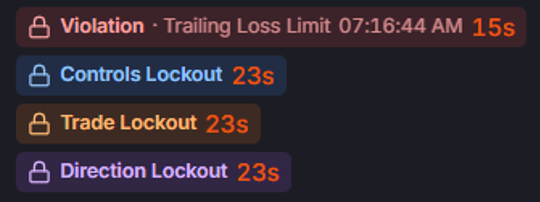
Violation Lockout

A Violation Lockout is triggered automatically when any active risk rule is breached — for example, when your account hits its Daily Loss Limit or your Per-Trade Loss Limit is exceeded on an open position. When a violation fires, Tradespace immediately:
  1. Flattens all open positions at the market.
  2. Cancels all working orders.
  3. Locks the account, blocking new orders for the configured lockout duration.
The lockout duration is configurable per account, and the current lockout status is always visible on your Dashboard so you know exactly when you can resume trading. You are able to make any changes to settings during a violation lockout unless you have controls lockout or AutoLock enabled, which prevents the disabling or editing of any active risk setting.

Manual Trade Lock

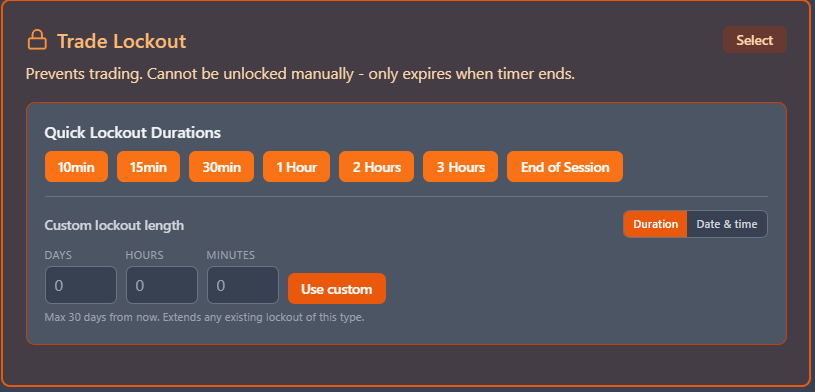
Image A Manual Trade Lock gives you a way to manually halt all trading activity on an account — useful when you’re stepping away from your desk, ending your trading session early, or simply need a forced break after a difficult stretch of trades. Activating a Manual Trade Lock from the Dashboard will:
  • Flatten all open positions at the market.
  • Cancel all working orders.
  • Block any new orders for the configured duration.
You choose a duration and no trades will be permitted on that account until the trade lock expires. A Manual Trade Lockout does not block settings changes — you can still adjust your risk parameters while the lock is active.

Controls Lock

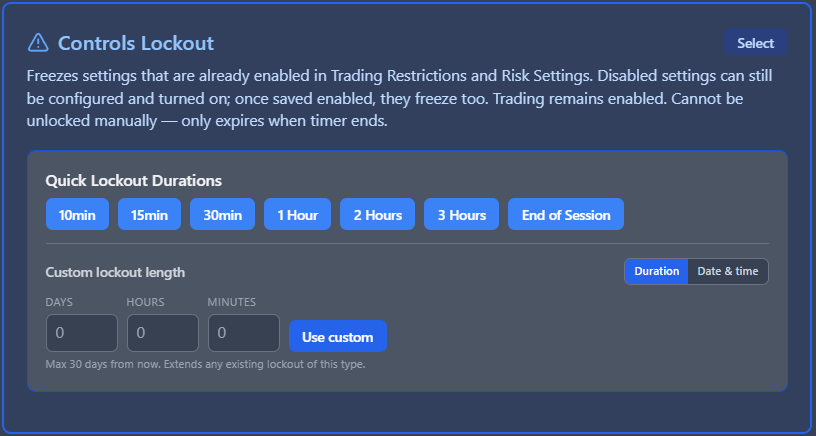
Image A Controls Lock protects your risk settings from being changed without affecting trading in any way. It does not flatten positions, does not cancel orders, and does not block new orders. Trading continues normally — only your ability to modify risk parameters is restricted. The primary use case is protecting yourself from impulsive decision-making. After you’ve set your risk parameters for the day, engaging a Controls Lock prevents you from disabled or changing any active risk setting in the heat of a losing trade, when the temptation to “just raise the limit a little” is strongest. You are able to freely edit any risk setting during Control lock that is not currently enabled. Once the risk setting is enabled and Controls Lock is active, you will be prevented from disabled or modifying that risk setting until the controls lockout period ends.
Engage a Controls Lock right after you configure your risk settings for the session. Even a short lock duration — 30 or 60 minutes into the trading day — creates enough friction to interrupt impulsive adjustments while giving you a defined path to make legitimate changes later.

Trading Direction Lockout

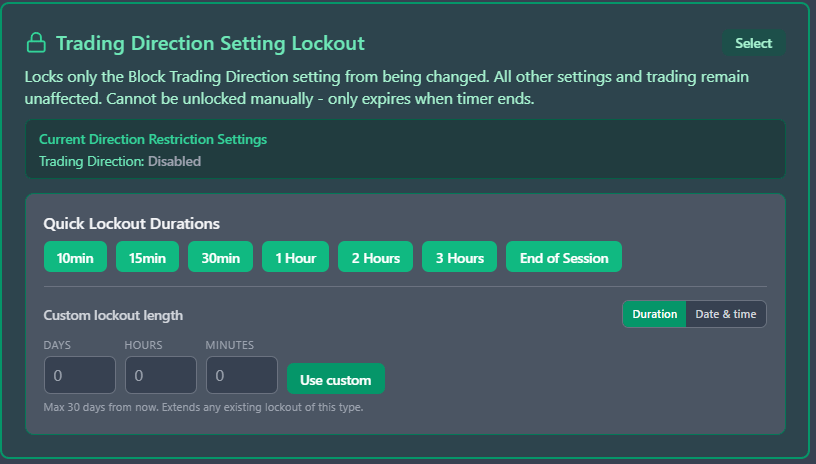
Image Trading Direction Lockout protects you from being able to trade in a certain direction. Based on certain market conditions, it may be useful to prevent you from trading against the trend and enabling a trading direction lockout will prevent you from trading long or short, depending on the lockout setting. Like Controls and Trade Lockout, you set a duration for this lockout to be enabled, and it will automatically end once the duration set ends.

Risk Violations Cannot be ended once started

All lockout types can be configured with a duration, so they lift automatically. However, no lockout system can be disabled or ended once its started. We have designed it to be impossible. You are also not able to get around the lockout or risk violation by simply disabling or deleting your connection. The ability to do this is also blocked while any active account on that connection has a lockout or risk violation.
  • Violation Lockout — Cannot be ended once started until the lockout timer ends (if applicable)
  • Manual Trade Lock — Cannot be ended once started until the lockout timer ends.
  • Controls Lock — Cannot be ended once started until the lockout timer ends.
  • AutoLock — Ends automatically at the configured end time each day. It cannot be manually disabled during the active window; this is by design to enforce the schedule.

Lockout Duration and Actions

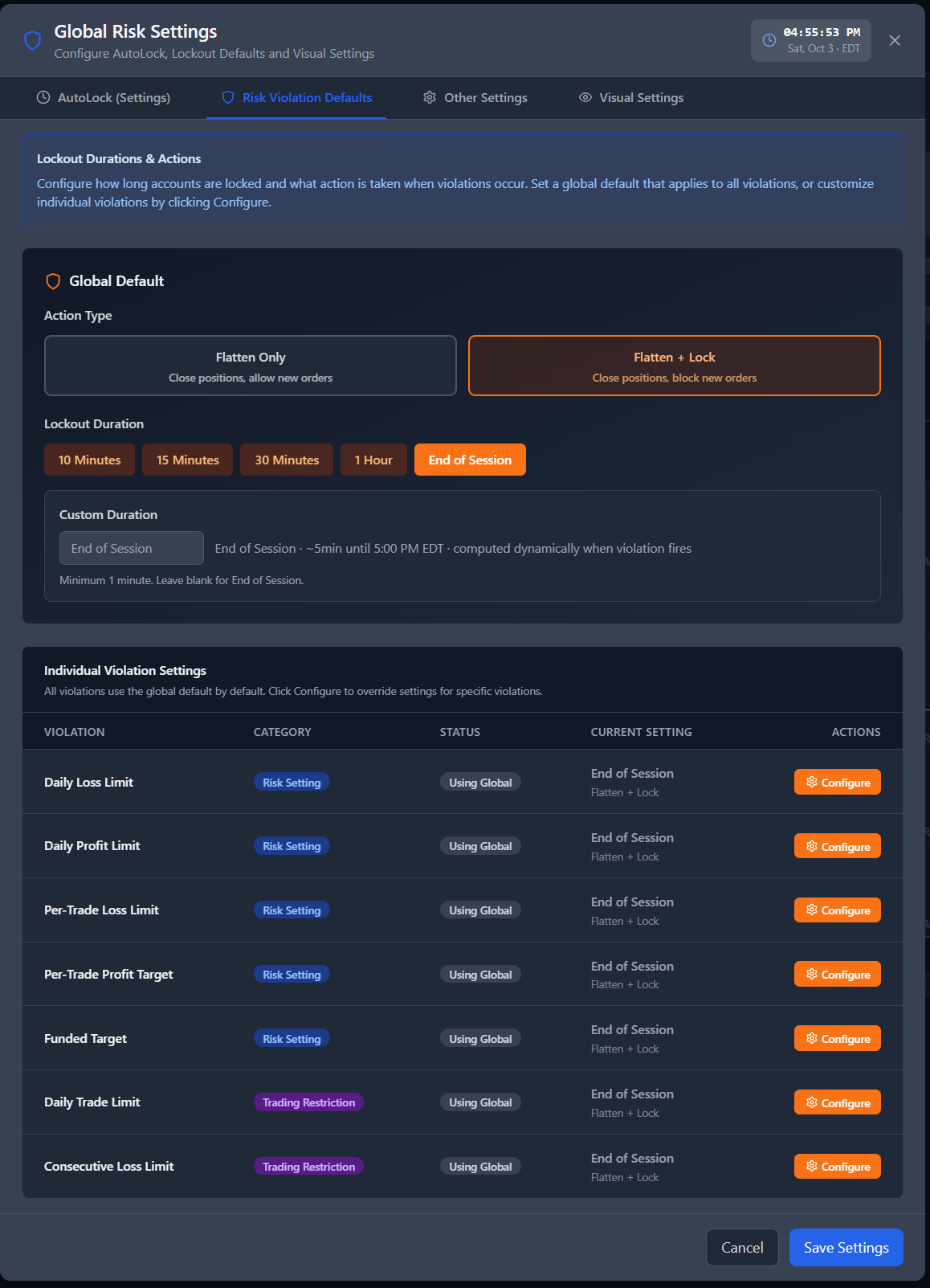
This setting found in your Risk Settings menu on the Account & Risk Management page, allows you to configure how long accounts are locked and what action is taken when violations occur. Set a default that applies to all violations or customize individual violations by clicking Configure. Image